Educake Login Guide for Students: Using Single Sign‑On
Remembering multiple passwords is a headache for students and teachers alike. At Educake, we encourage schools to use single sign‑on (SSO) so students can access their accounts quickly and securely without needing yet another username and password.
This short guide explains how students can log in to Educake using their school’s Google or Microsoft account.
How Single Sign‑On Works
- Already logged in? If a student is already signed into their school Google or Microsoft account, Educake will automatically detect it. They’ll see a message asking if they want to sign in using that account. One click, and they’re in.
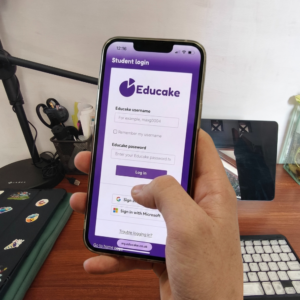
- Not logged in yet? Students can simply select “Log in with Google” or “Log in with Microsoft” on the Educake student login page. They’ll be redirected to sign in with their school account.
- No Educake password needed With SSO, students do not need to enter an Educake username or password at all. Their school login handles everything.
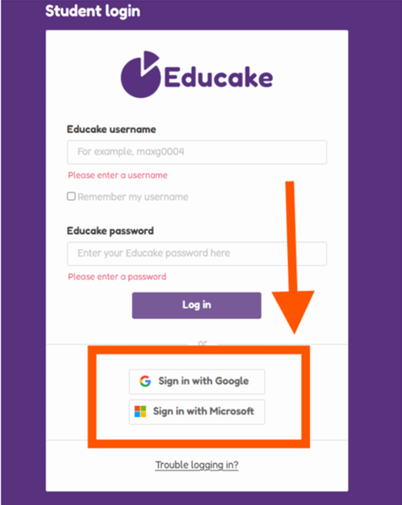
If your school does not have single sign on:
1. Go to the Educake login page
Go to the Educake student login page: https://my.educake.co.uk/student-login
You can bookmark this page so it’s easy to find next time.
2. Enter your login details
Enter the username and password your teacher has given you.
Then click Log in.
3. Start learning!
Once you’ve logged in, you’ll see your Educake home page.
From here, you can:
Forgotten your username or password?
Forgotten your username? Ask your teacher for it.
Forgotten your password? You can reset it yourself if you’ve saved an email address in Educake. Just click Trouble logging in? on the Student login page and follow the instructions.
If you can’t reset your password, ask your teacher to reset it for you.